

01 · Real-Time Stock
Live Stock & Warehouse Lookup in Zirve
Customers or field reps ask for products in natural language. Meta Reva queries Zirve tables instantly and returns real-time available stock per warehouse.
Connect product, account, finance and document data from Zirve with customer requests on WhatsApp, restricting financial disclosure through identity and permission checks.
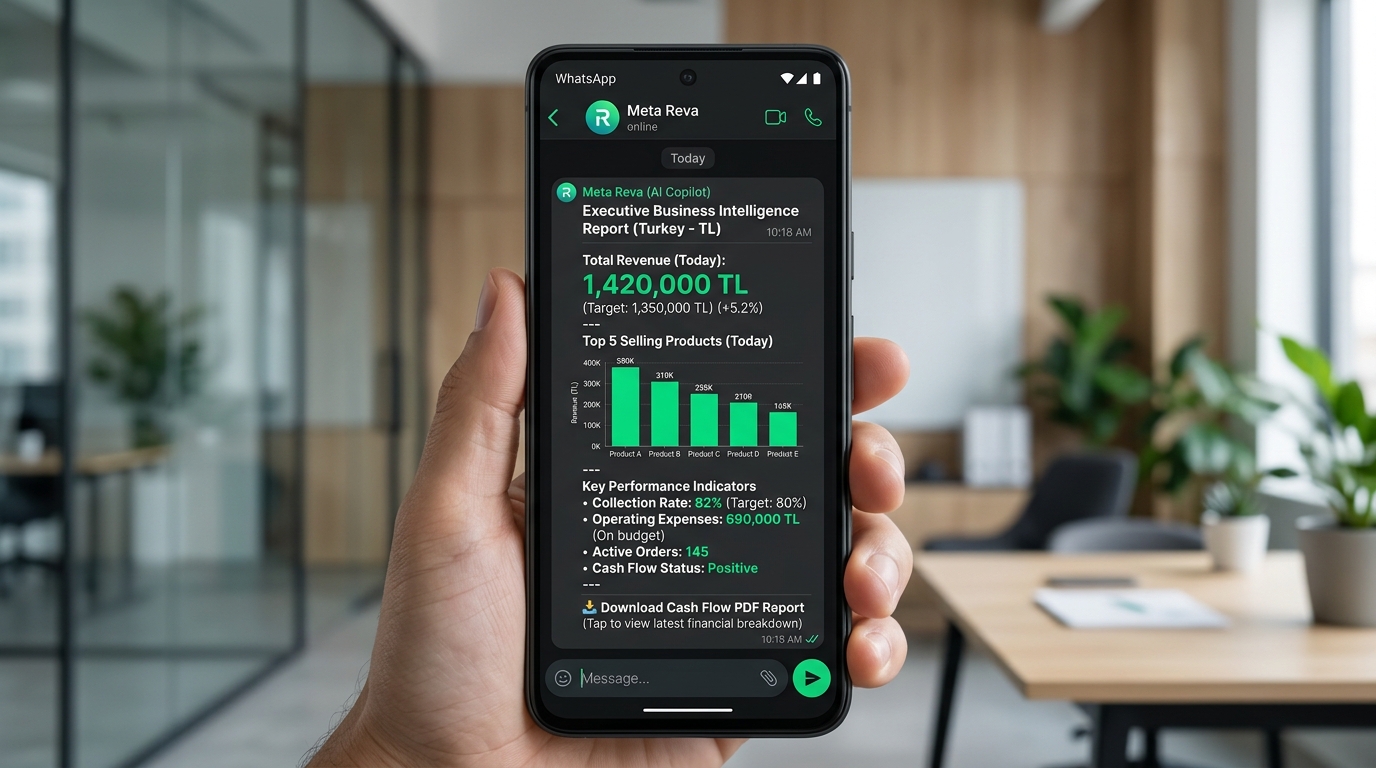
Real-time ERP synchronization and verified WhatsApp workflows tailored to your business rules.
Separate data scope for Zirve Ticari, Finansman or Musavir deployments.
Check phone and account matching before sharing balances, transactions or documents.
Do not automatically close discrepancies, disputes or special document requests.
Full bi-directional synchronization between Zirve ERP and WhatsApp Business API. Execute orders, stock lookups, and financial statements in real time.
Customers or field reps ask for products in natural language. Meta Reva queries Zirve tables instantly and returns real-time available stock per warehouse.
General catalog prices are never exposed. Meta Reva identifies the sender and applies the exact price list, tier discount, and payment terms defined in Zirve.
Approved WhatsApp carts automatically generate verified order slips in Zirve with line items, tax rates, and warehouse codes—ready for warehouse dispatch.
Authorized customer contacts query their current ledger balance 24/7 and receive official PDF statements directly in WhatsApp with zero human intervention.
Connect via direct REST API, SQL gateway, or secure on-premise connectors. Read-only query constraints, TLS encryption, and strict token-based authentication ensure your ERP database remains 100% secure.
Available services, governed data views or an export layer are assessed according to the Zirve module and deployment.
Customer accounts, balances, movements, products and documents are limited to necessary fields under financial data-minimisation principles.
Verified customer-account, inventory and document records from your Zirve Ticari, Finansman or Musavir module are used.
An authorised contact requests a period statement; phone and account matching are verified, then an eligible document is prepared or a discrepancy becomes a finance task.
Multiple account matches, closed periods, zero movements, disputes, document-generation failures and unauthorised requests are tested.
The general panel shows identity verification, document generation and finance-team handoff in one history.

Let us confirm version, access method, data scope and the first WhatsApp workflow during technical discovery.
Book a DemoReview supported connection approaches, systems and data sources.
→SolutionMeta Reva connects WhatsApp conversations with authorised inventory, pricing, order and account data from your ERP or accounting…
→PlatformSee how governed WhatsApp workflows use ERP data and operating rules.
→ProcessFollow the path from a customer message to an authorised ERP action.
→