


Logo GO 3 and Tiger 3 WhatsApp B2B Order Integration

An implementation guide to the data, controls and safe posting path behind a WhatsApp ordering workflow for B2B teams using Logo GO 3 or Tiger 3.

Scroll down
Prepared by İrfan AksoyPublished Updated
Logo GO 3 and Tiger 3 WhatsApp B2B Order Integration
Operational Guide

Logo GO 3 and Tiger 3 WhatsApp B2B Order Integration

An implementation guide to the data, controls and safe posting path behind a WhatsApp ordering workflow for B2B teams using Logo GO 3 or Tiger 3.

01

Data and commercial context

Customer accounts, authorised contacts, item cards, units, warehouse availability, price definitions, discounts, terms and credit information are verified against the deployed Logo version and configuration. The customer sees the current authorised source value.

02

Order posting workflow

The customer sends products and quantities on WhatsApp. The workflow resolves the item and unit, applies account terms, presents one confirmation summary and posts only after explicit approval. The resulting document number is returned through WhatsApp.

03

Permissions, duplicates and failures

Read and write credentials are separated. A repeated message must not create a second order. Connection failures, credit limits, closed periods and insufficient stock never appear as success; the action is held and assigned to the responsible team.

04

A realistic first production scope

Start with one company, selected warehouses, a defined customer group and frequently ordered products. This makes unit conversion, account pricing and document-type decisions testable against real orders without widening risk too early.

Applied example

Example WhatsApp order flow

This example shows how the proposed scope moves through real data and confirmation points.

  1. Customer: “12 cases of PR-440 from the central warehouse.”

  2. Meta Reva verifies the account, item code, case unit, available stock and account price in Logo.

  3. Product, quantity, net price, terms and delivery summary are presented for approval.

  4. After approval, the order is posted once and the Logo document number is returned through WhatsApp.

Product evidence

The conversation on the right is illustrative; it shows the intended flow, not a customer claim or result.

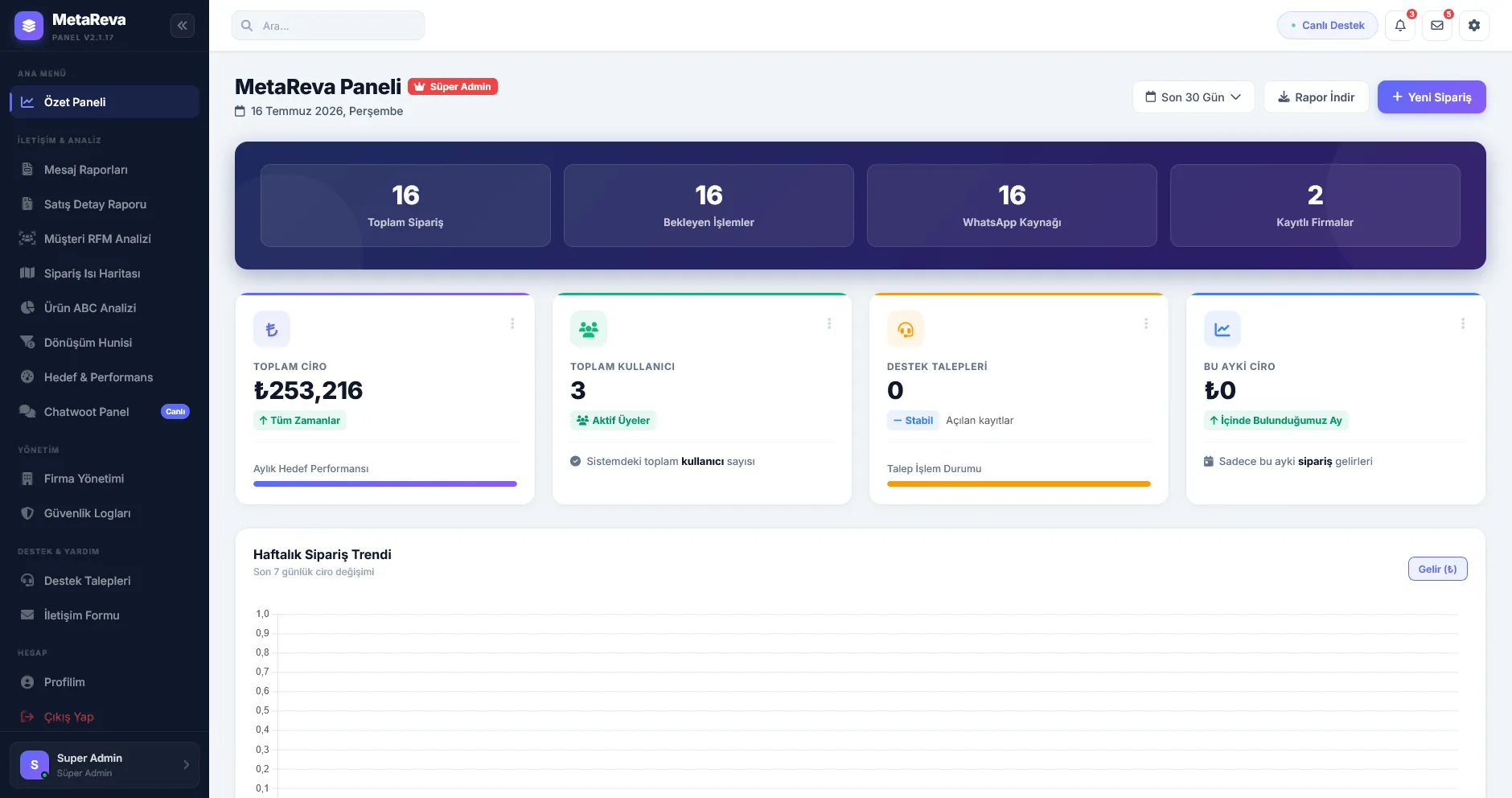
Meta Reva panelinin genel operasyon görünümü
Actual Meta Reva panel screen
Pre-live validation

Source data, permission limits, repeated requests, failed writes and agent handoff are validated together before launch.

Continue within this topic

Related practical guides

Let’s review your workflow together

We can assess the source system, permissions, exceptions and the first safe production scenario.

Book a Demo